AI Knowledges
AI Knowledges is the WinnerWare knowledge library module. It gives teams a structured way to publish help content, organize it into categories, surface it through search and discovery pages, and prepare it for grounded AI responses.
Overview
This module is the content foundation behind the help library and the knowledge-backed AI assistant. It is where teams define categories, publish articles, track what people search for, and shape the content that AI Chat can retrieve later.
This matters because an AI assistant is only as useful as the content it can rely on. AI Knowledges is the layer that makes that content manageable and searchable before it ever reaches the chat experience.
Key Features
- Creates a structured Knowledge Base content model for articles and categories.
- Supports a category taxonomy for cleaner discovery and navigation.
- Adds a search-driven Discover experience with featured categories and top searched content.
- Adds top searched dashboards and widgets for operational insight.
- Supports related-content recommendations on knowledge articles.
- Prepares knowledge content for both standard search and AI-grounded retrieval.
How It Works
Build the knowledge structure first
The knowledge library is built around a few core authoring pieces:
| Authoring area | Purpose |
|---|---|
| Categories | Organize the library into business-friendly topics. |
| Articles | Hold the main help content. |
| Tutorial support | Adds guided supporting material to an article when needed. |
| Article details | Capture the main article content and category assignment. |
| Related content | Suggests other helpful articles based on what the current article covers. |
Publish categories before articles
The category structure is centered on Knowledge Base Article Categories, which gives teams a business-friendly way to organize the library before they start publishing articles.
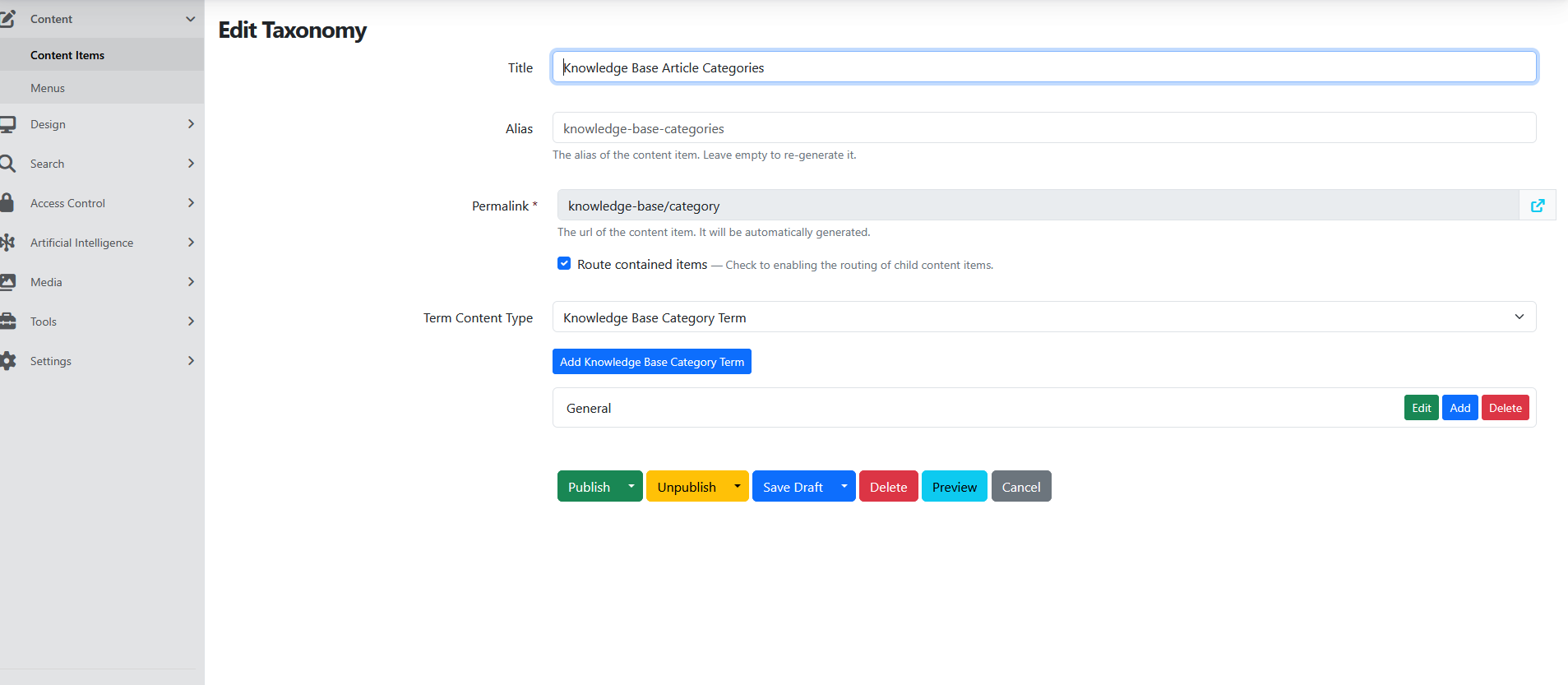
The category setup supports cleaner article organization and browsing.
Use indexed content for both search and AI
The same knowledge content is prepared for two jobs:
- standard WinnerWare search and discovery
- grounded AI retrieval for AI Chat
That is why the module setup includes both a source content index and an AI knowledge base index.
Configuration
Content model and authoring flow
The main article setup includes:
- Title
- Attachment
- KnowledgeBaseTutorialPart
- Details stored in the markdown body
- KnowledgeBaseArticlePart
- RelatedContentPart
- publish and archive scheduling
In practice, that gives authors a simple content flow:
- create or select a category
- write the article details
- attach supporting files if needed
- add tutorial-style support content when useful
- publish the article into the searchable library
Search and index setup
The knowledge library depends on a source index and an AI knowledge base index.
When adding indexes from Search -> Indexes, the available options include both a regular content index and an AI knowledge base index.
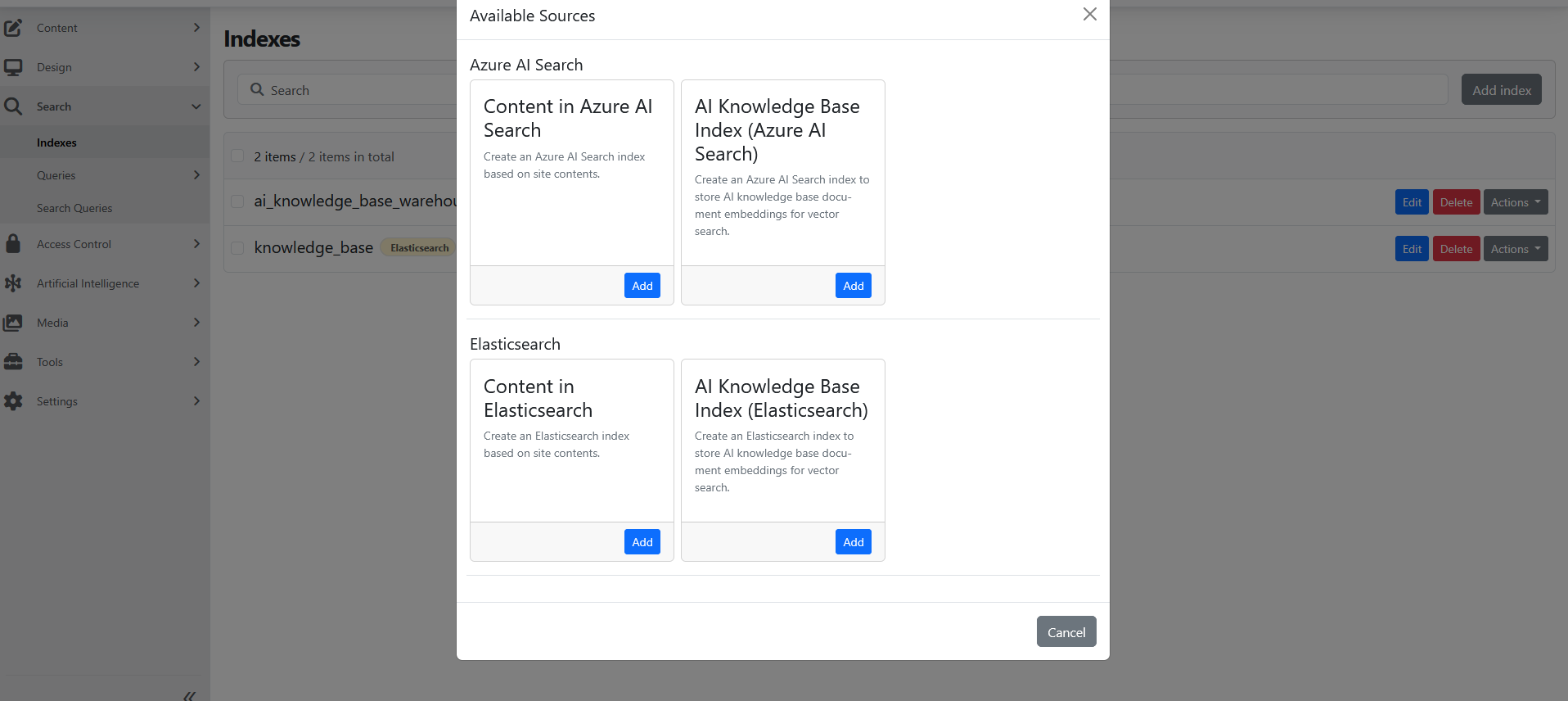
The current setup uses a source index named knowledge_base. In the screenshot below, the index is configured to include knowledge-base-related content types and store the source data for retrieval.
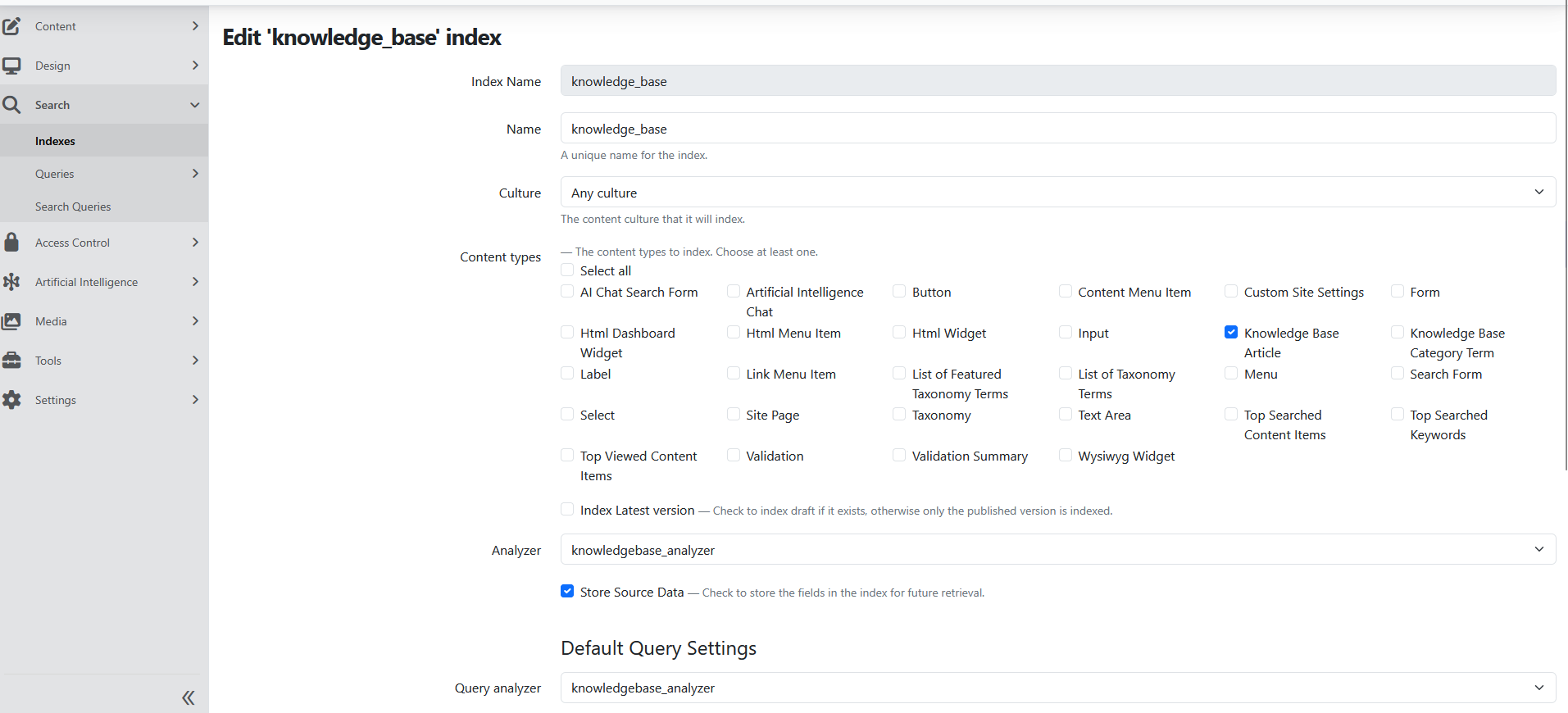
This source index is what the AI data source reads from later.
Usage
Create the knowledge library
Create the category structure first, then add knowledge articles under that structure. This keeps both browsing and AI retrieval cleaner because the content starts organized instead of being fixed later.
For a typical rollout, teams should:
- create the category taxonomy
- publish category terms
- create knowledge articles
- fill in article details and attachments
- publish content into the searchable library
Build the user discovery experience
A strong pattern for a public-facing knowledge experience is:
- a search input with the placeholder Search Help Library
- featured category tiles
- top searched content items
This turns the knowledge base into something people can actually navigate, not just a list of documents.
Operational Notes
Search analytics and feedback
The module adds Search -> Search Queries so teams can review what users searched for and how those searches performed.
It also creates dashboard widgets for:
- top searched content
- top searched keywords
- stats summary
These are useful when teams want to see what content is working, what people cannot find easily, and where the knowledge library may need improvement.
Workflow support for missed searches
When workflows are enabled, the module can raise a workflow event when a search returns no hits. That gives implementation teams a practical way to alert, route, or track gaps in the knowledge library.
Additional implementation notes
- The module includes a dedicated Search Queries admin experience for reviewing search activity.
- It supports search analytics, related-content suggestions, and dashboard views around the knowledge library.
- It also supports more advanced implementation patterns such as workflow-based follow-up when a search returns no results.